
Overview
What is NexusFlow?
NexusFlow is an AI-powered Unreal Engine Blueprint assistant. It lets developers read, create, and edit UE Blueprints through natural language conversations — no need to memorize complex node names or workflows. Just describe what you want in plain language.
NexusFlow runs as a standalone desktop application on your computer and communicates with the Unreal Engine Editor in real time through a companion UE plugin.
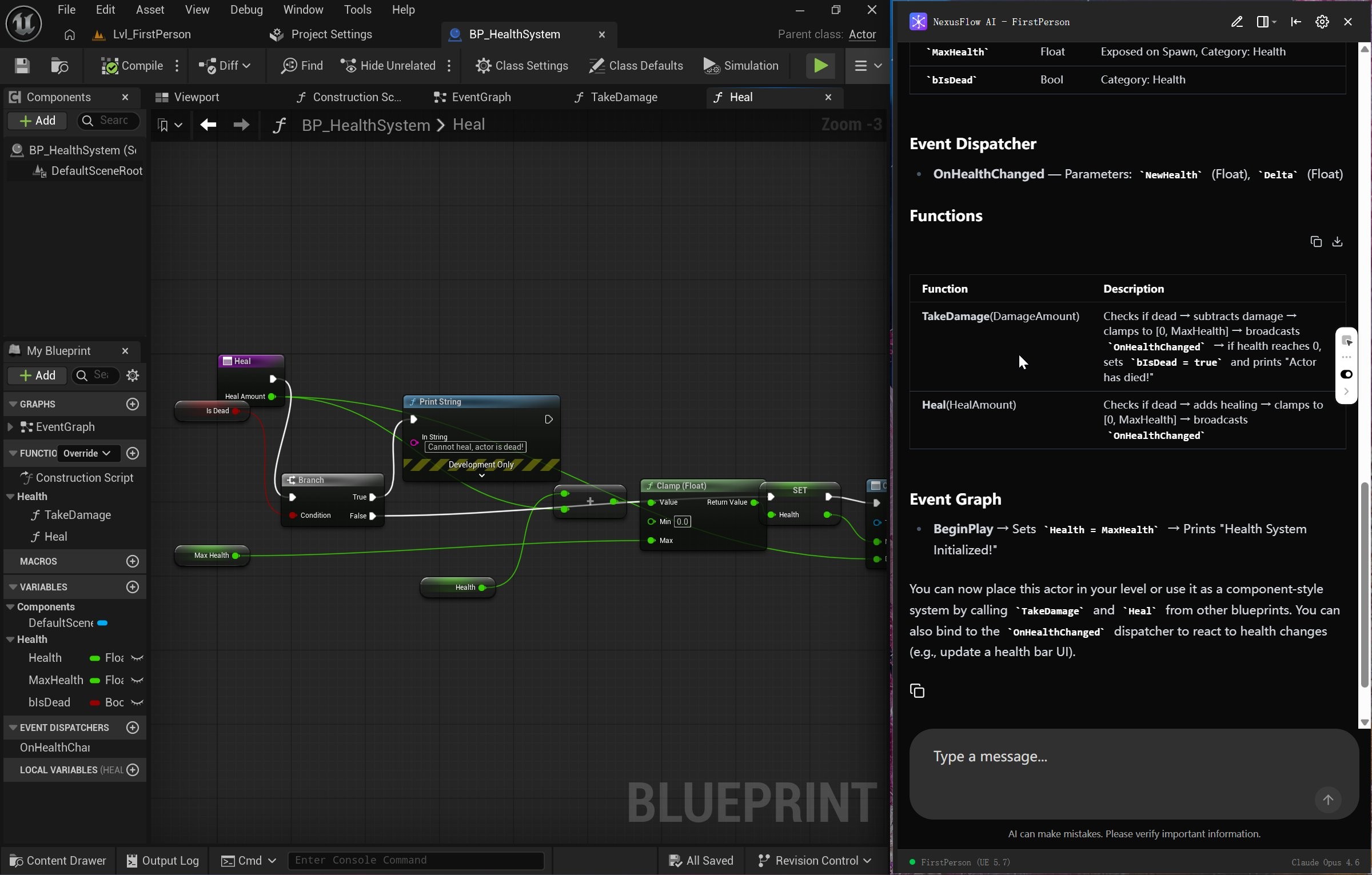
Core Features
🤖 AI Chat
Communicate with AI using natural language to describe your Blueprint operations:
- Read and explain Blueprint logic
- Create new Blueprint nodes and connections
- Modify existing Blueprint structure and properties
- Manage Blueprint variables, functions, and events
- Search and use UE Skills
🔮 Floating Ball

A quick-access entry point on your desktop — a blue-purple gradient circle icon:
- Click to open the AI chat sidebar
- Drag to move; automatically snaps to the nearest screen edge
- Show/hide via the system tray
💬 AI Chat Sidebar
A feature-rich conversation interface:
- Three window modes: Floating, Dock Left, Dock Right
- Real-time UE connection status and current model display
- Tool call status tracking
- Stop AI generation on demand
⚡ UE Quick Menu
Invoke AI directly from within the UE Editor through 4 entry points with 17 operations:
- Blueprint Editor Right-Click — 13 operations (explain, optimize, extract, fix, document...)
- Content Browser Right-Click — Explain or document entire Blueprint assets
- Blueprint Editor Toolbar — Review and summarize the current Blueprint
- Level Editor Toolbar — NexusFlow button with connection status indicator
- Smart filtering: menus adapt based on your node selection (none / single / multi)
⚙️ Settings
An iOS-style settings interface for managing all configurations:
- AI model management (multi-model switching)
- Agent behavior parameters
- Custom hotkeys
- Appearance themes and language
🌐 Multi-Language Support
- Interface languages: Simplified Chinese, Traditional Chinese, English
- AI response language can be set independently
How It Works
NexusFlow consists of three core components working together:
┌─────────────────┐    IPC Comm    ┌──────────────┐    FFI    ┌──────────────┐
│  Tauri Desktop   │ ◄───────────► │  Rust Bridge  │ ◄──────► │  UE Plugin    │
│  (React + Rust)  │               │  (Comm + Conv)│          │  (C++ + Py)   │
└─────────────────┘               └──────────────┘          └──────────────┘
        │
        │ SSE (Server-Sent Events)
        ▼
  ┌──────────────┐
  │   LLM API    │
  │ (Cloud Model) │
└──────────────┘- Tauri Desktop App: Provides the AI chat interface (React frontend) and LLM API proxy (Rust backend)
- Rust Bridge: Handles IPC communication between the desktop app and UE plugin, plus Blueprint data format conversion
- UE Plugin: Executes Blueprint operations within Unreal Engine and provides the Python Skills system
Data Flow
When you send a message:
- The message is sent from the Tauri app to the LLM (e.g., GPT-5, Claude)
- The LLM analyzes the request and determines which tools to call
- Tool calls are forwarded through the Rust Bridge to the UE plugin
- The UE plugin executes Blueprint operations (read, modify, create, etc.)
- Results are returned along the same path, and the AI presents them in the conversation
Supported LLM Providers
| Provider | Description |
|---|---|
| OpenAI | GPT series — strong general capabilities |
| Anthropic | Claude series — excellent reasoning ability |
| Google Gemini | Gemini series — multimodal support |
| DeepSeek | DeepSeek series — cost-effective |
| Zhipu GLM | GLM series — coding specialist |
| MiniMax | MiniMax series — excellent for agent workflows |
| Qwen | Qwen series — million-token context |
| Kimi | Kimi series — multimodal + coding |
| Custom | Any third-party API compatible with the above protocols |
You can configure multiple models simultaneously and switch the default model in Settings.
Next Steps
- Quick Start — Install and configure in 5 minutes
- AI Chat — Explore the chat interface in detail
- Blueprint Operations — Common conversation examples and detailed operations